I will have to look into whether or not that is currently supported. Though, if so, it would likely also require a filter, which doesn’t appear to be working if you can’t return more than 50 per page. Do any filters work on any of your API calls?
Actually, I was able to add the “missing” sensors by changing “v1/devices/?page=1&?per_page=50?org_id=1218&network_id=57” to "v1/devices/?page=2&?per_page=50?org_id=1218&network_id=57, so I guess that worked as a filter in a way . But changing “per_page” to 100, it still returned 50.
Another question - what is the correct https line to use the API?
I am seeing on your website to use “https://api.quant-aq.com/v1/devices/”
but
I have seen from others to use “https://api.quant-aq.com/device-api/v1/devices/”
Which one is the correct one? Thanks
Both will work, but I recommend https://api.quant-aq.com/v1/devices/. Where did you see the link to the other one?
Someone in our organization is using the “device-api” for a daily download.
I am working on getting a custom function to pull in data by generating a list of dates for the last year and pulling in the Serial Numbers, using a cartesian connection to generate every possible combination and then dropping the values into the “data-by-date” url to pull final data for the last year for all active sensors.
Ahh okay. Both endpoints will work - the device-api one is there for backward-compatibility reasons.
Good news - one of the developers I am working with successfully created a loop that pulls in the data-by-date. But there’s just so much of it. Is there any way to get daily averages already so I don’t have to try to query that much info? I am trying to pull in a year’s worth, which results in roughly 1B rows of data. If I can get to daily averages, it will drop to about 300000 rows, which Power BI can easily handle. Thanks
Hi @mahouser yes, you can use the resampled API endpoint to pull the daily-averaged data if that’s what you prefer.
Can you give me an example of an URL to do 1 Hour Resampled Data for Serial Number MOD-500 for the last 24 hours? There is nothing that I can see about the formatting of the URL in the documentation.
Example would be:
https://api.quant-aq.com/v1/data/resampled/?sn={serial number}&start_date=2026-03-01&end_date=2026-03-09&period=1h
That did the trick.
One last question (until the next one) - what is the largest number of days you can query at once? What is the largest # days difference allowed between the start and end dates?
I am back. Another question - I can get the resampled data to refresh on the Power BI Desktop but when I try to get it to get it to refresh on the Report Server, I am getting a credentials error. What is the connection string for resampled data? This is what I am seeing:
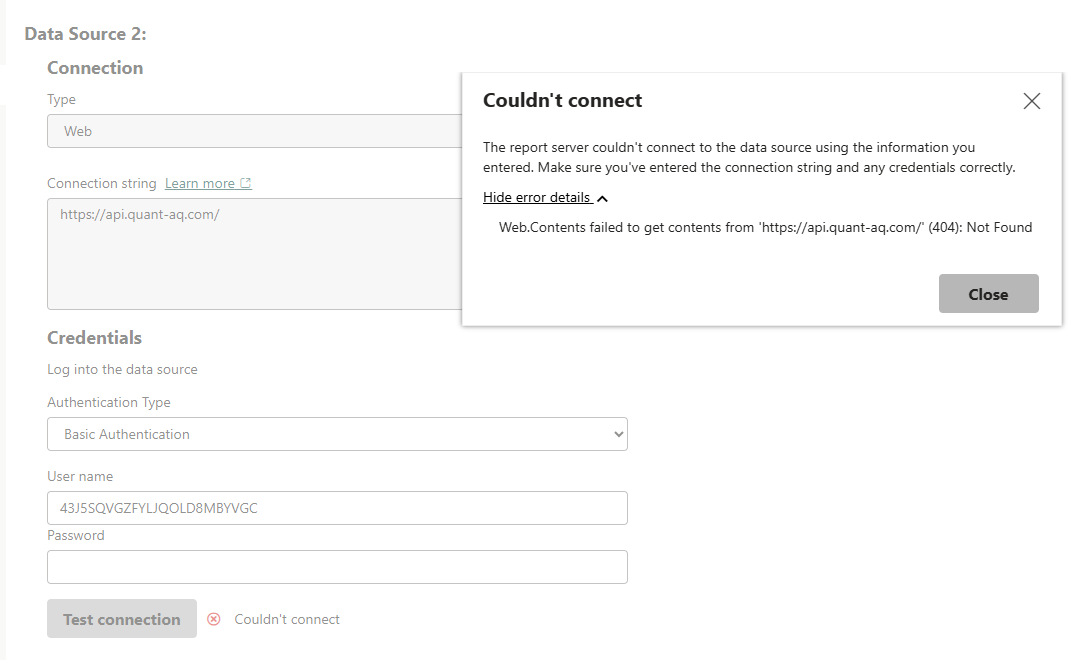
Good afternoon. We’ve been having great success using the API, but we’re switching to the Power BI Cloud Version and are having issues using the API. Apparently there needs to be an IP Range in the US Government Cloud Range.
I’m off the map here, so forgive me if I misspoke. What needs to happen to use Power BI Cloud with the QUANT AQ Data?
Hi @mahouser,
I’m not 100% sure what’s going on, but it sounds like there may be an egress problem on your end? We don’t whitelist IP addresses for the API, so requests coming from any IP address should work just fine. If you have a firewall or similar set up to only allow access to certain IP addresses, that may be the issue? Do you have a full error message by any chance?
Good afternoon. Question - can we add custom columns to the sensor list table for our network? There are a few sensors that are considered “background” monitors that we don’t want to appear in the Power BI report so we’re looking for a way to designated them as background in the QUANT-AQ Dataset rather than the Power BI Report so when background sensors are added, the report will automatically handle them as such rather than have to put in a support ticket to have the Power BI Report modified. Thanks